How to Reset Your Password
AUGUST 25, 2026
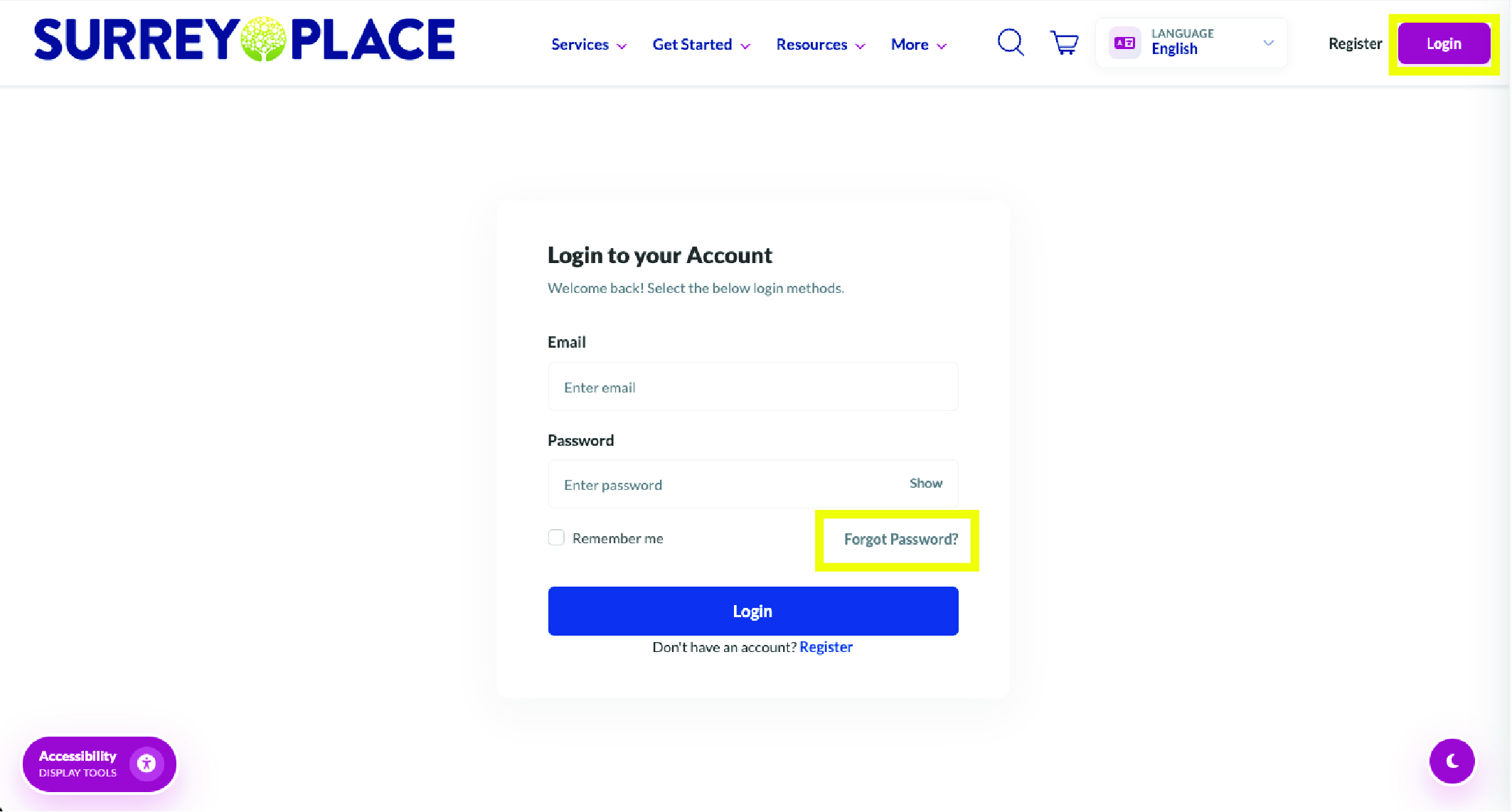
Step 1:
- If you forget your password, select Forget Password on the login page
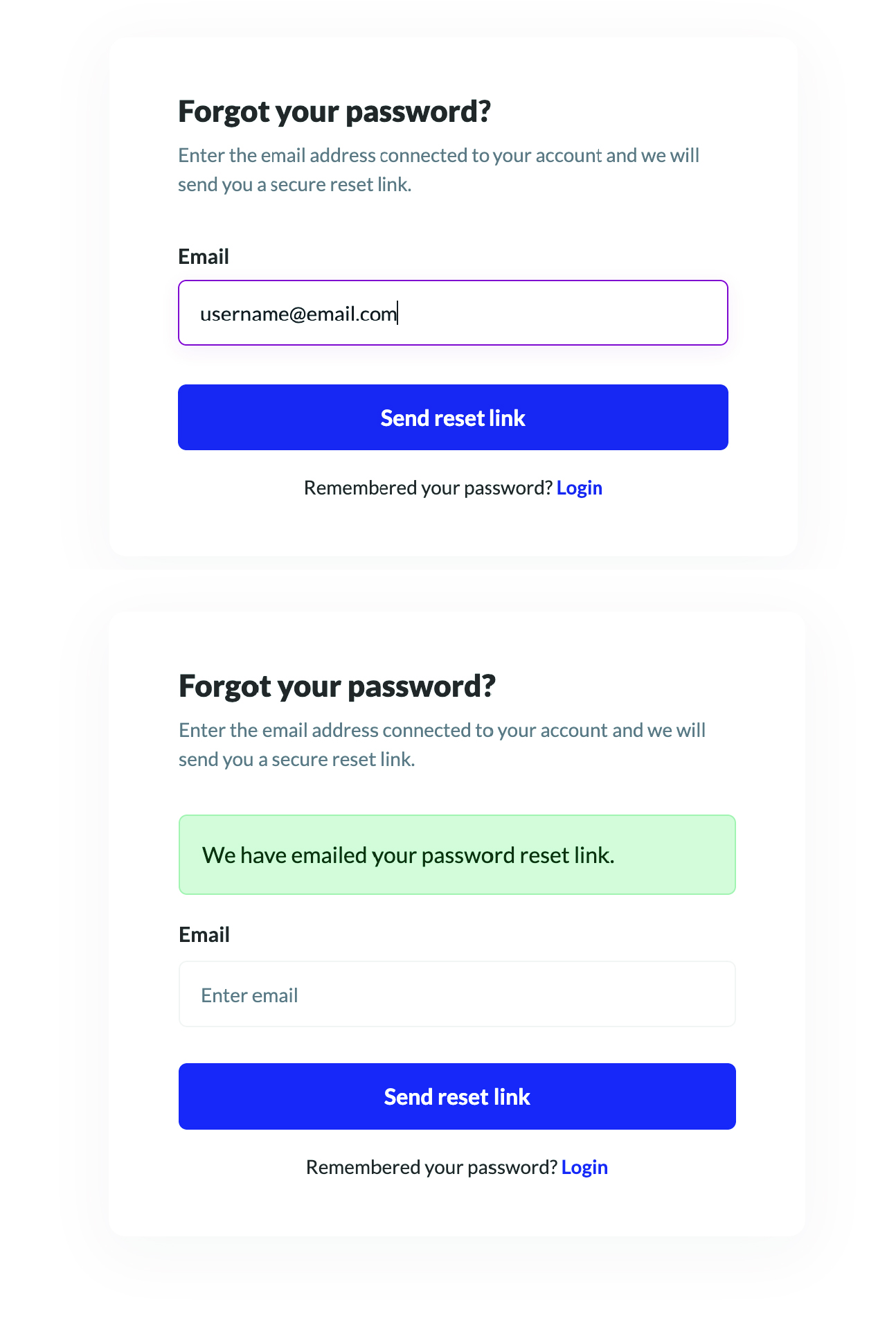
Step 2:
- Enter the email address associated with your account.
- Continue by selecting Send reset link.
- A resent link has now been emailed to you.
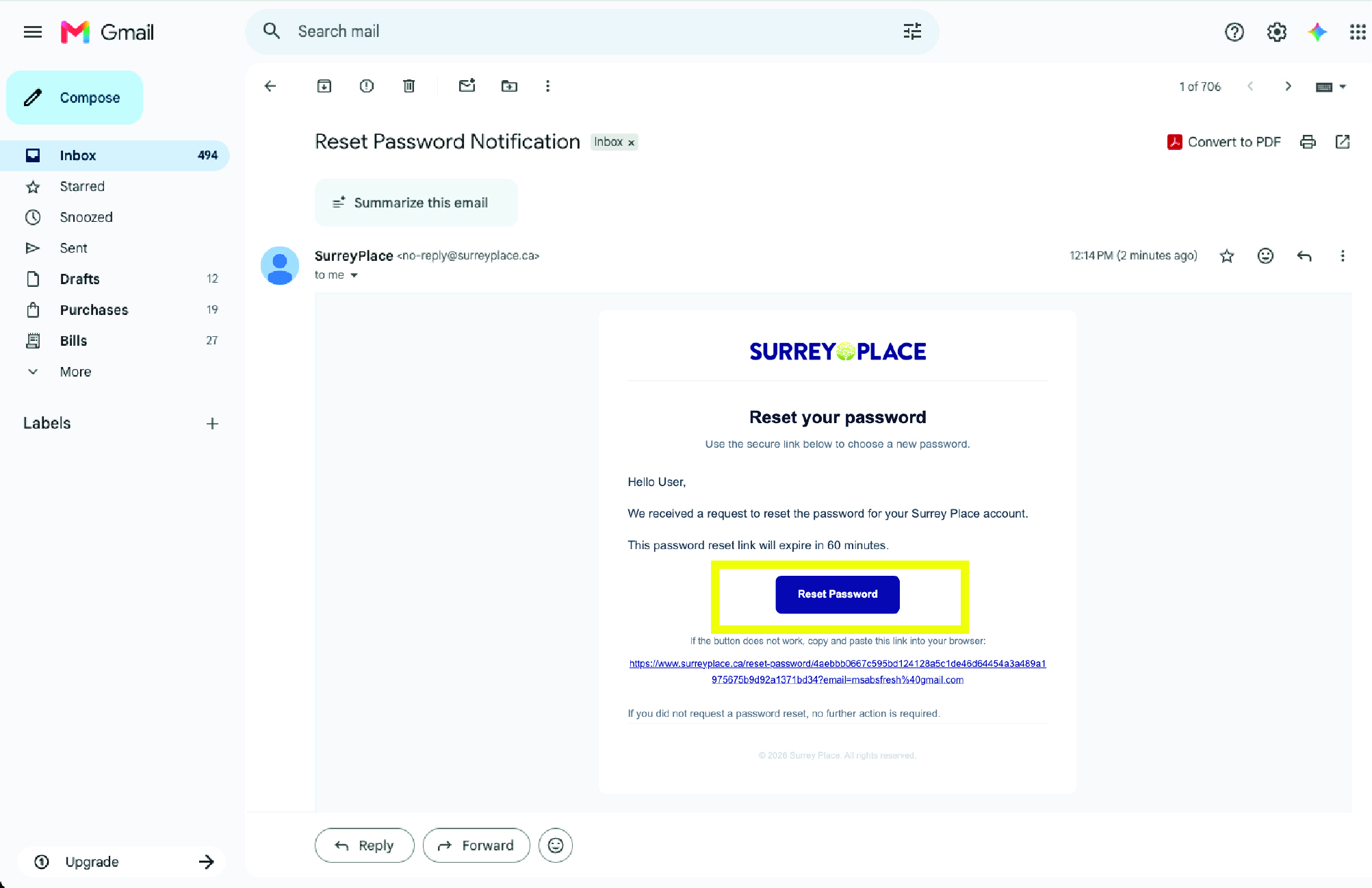
Step 3:
- Navigate to your email and select Reset Password.
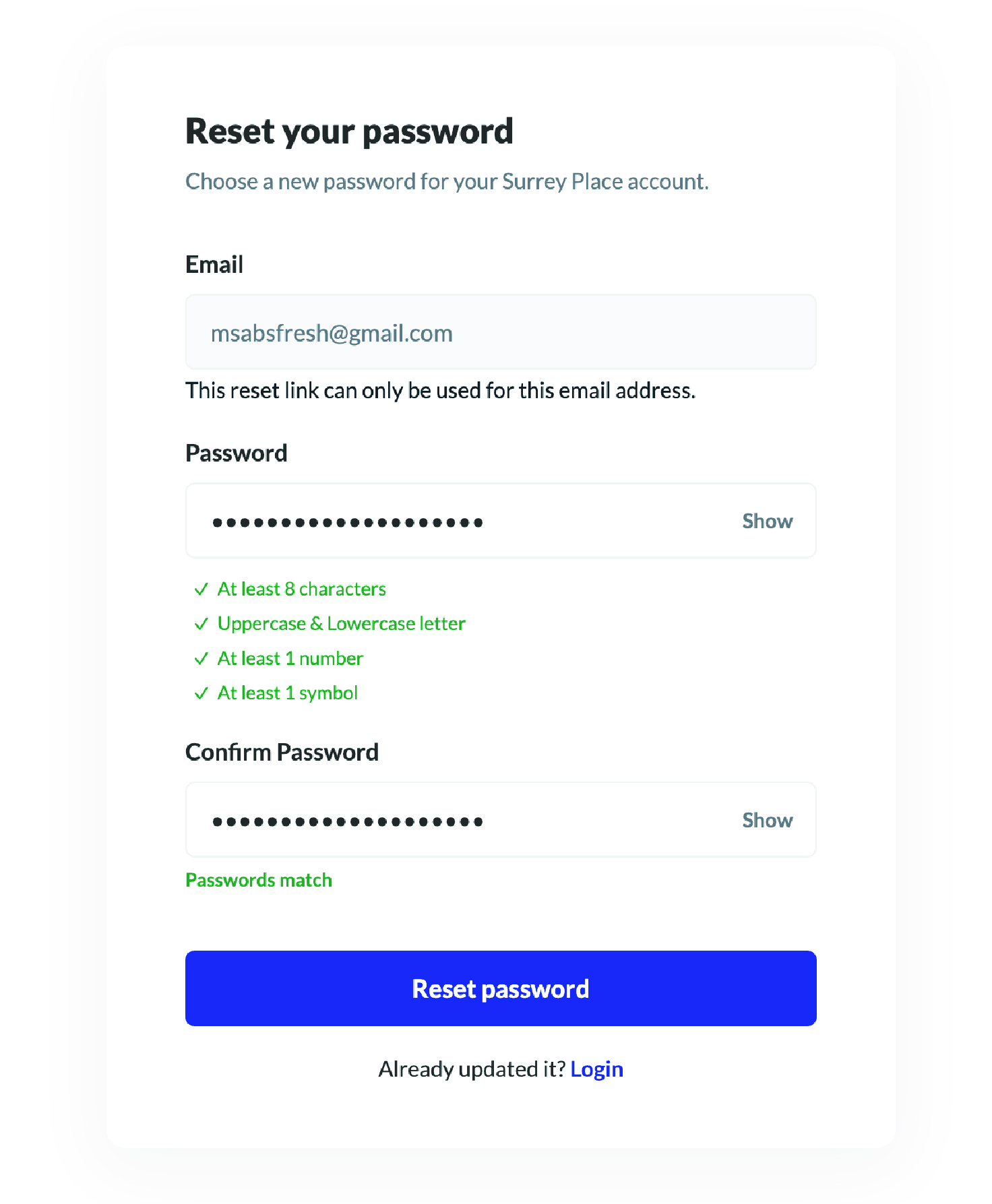
Step 4:
- Enter your new Password
- Once complete, select Reset Password
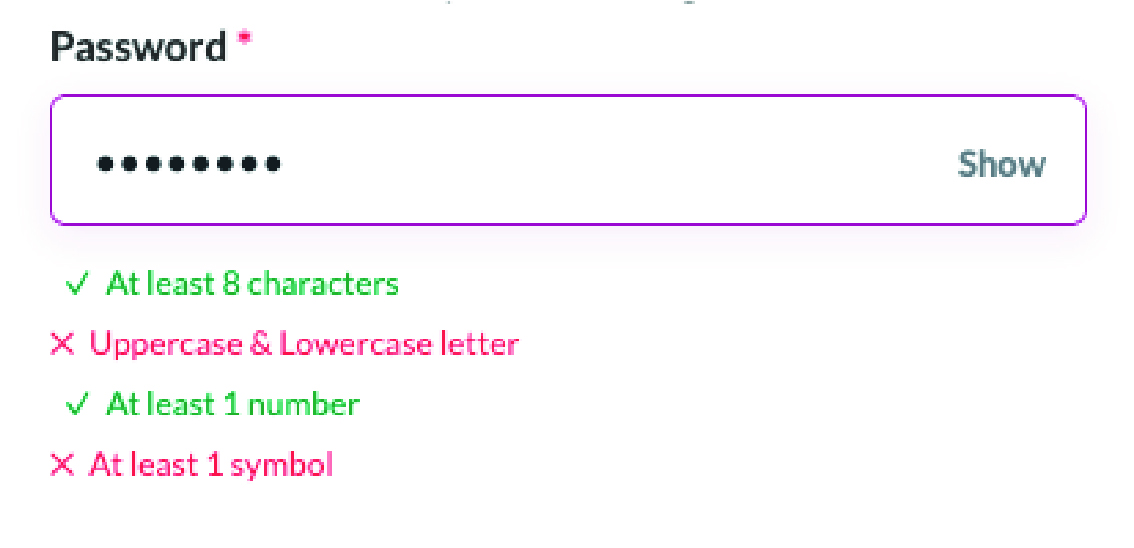
Helpful Reminder:
- When all 4 requirements are met you will see all ✔
- You will be shown what is not valid (✖) and what is (✔).
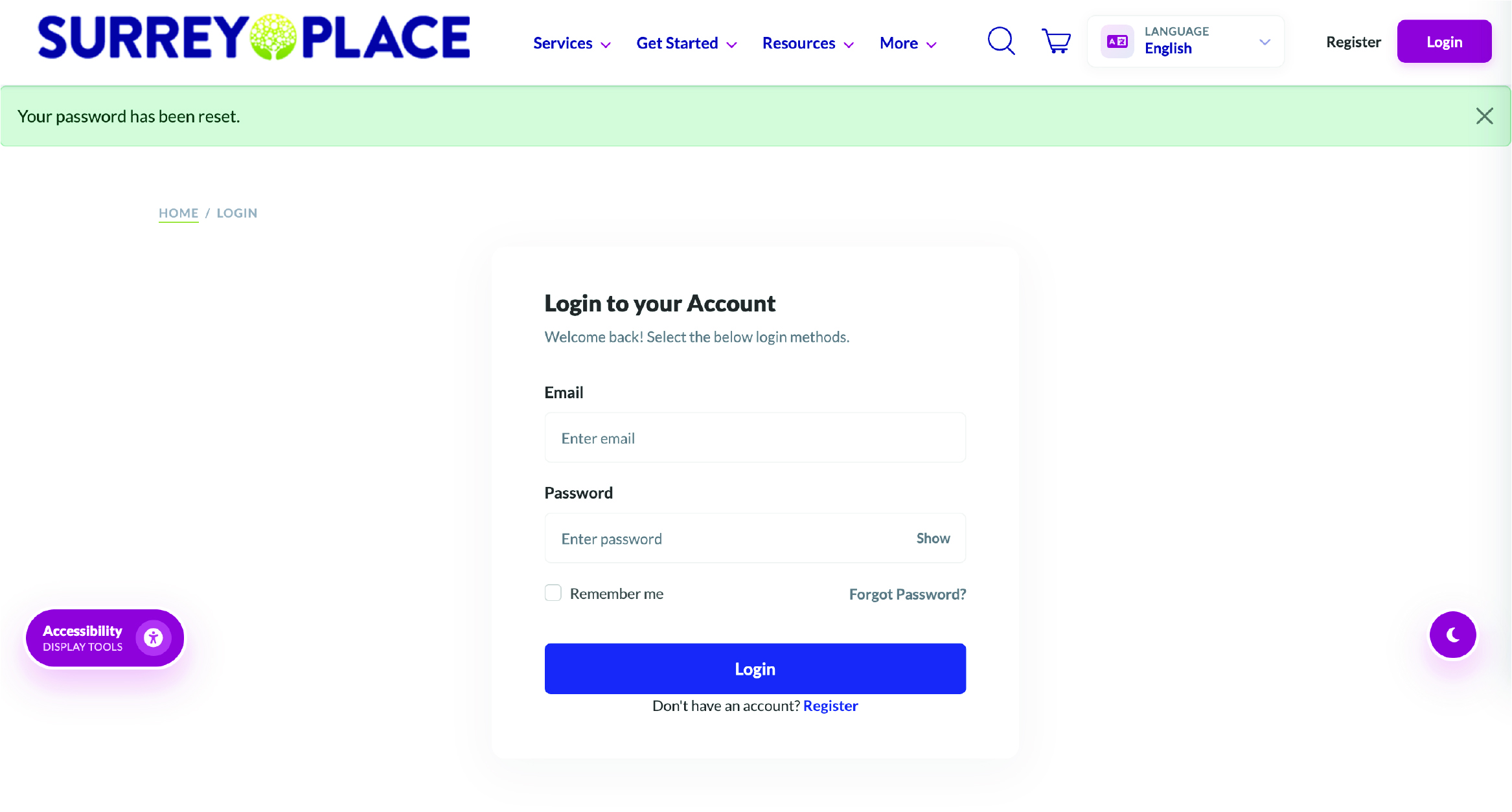
Next Steps:
- You will be redirected back to the login page.
- Use your new password to login.

 Invert Colors
 Dark Contrast
 Low Saturation
 Highlight Links
 Text Spacing
 Text Size
 Readable Font
 Reading Cursor
 Line Height
 Text Alignment
 Align Left
 Align Center
 Justify Text